
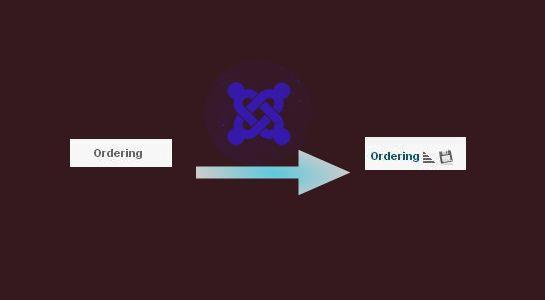
Recently I am working on one project and I wanted to provide sorting save and edit option to the title in Joomla website.
In this Joomla, Nivoslider plugin used for the slider and I wanted to add sorting option to the ordering field.so I have just checked and get that same functionality provided by article section in Joomla so I have checked the code and use it.
Let’s see how I use the code to develop edit and save sorting option in Joomla.
First of all, I have replaced two variable defined in top of the page are $canOrder and $saveOrder and added $params
$canOrder	= true;
$saveOrder	= $listOrder == 'a.ordering';
with below line of code
$canOrder	= $user->authorise('core.edit.state', 'com_contact.category');
$saveOrder	= 'ordering';
$params	= (isset($this->state->params)) ? $this->state->params : new JObject();
Next, I have replaced the title with a link so when user clicks on it, save option will be enabled.Let’s see below line of code
replaced with following line of code
items, 'filesave.png', 'items.saveorder'); ?>
then after, Go to the middle of the page where the loop is used there were some variables which are just defined as true like
$canCreate	= true;
$canEdit	= true;
$canCheckin	= true;
$canEditOwn	= true;
$canChange	= true;
Same here, replace above variables with below line of code
$canCreate = $user->authorise('core.create',		'com_contact.category.'.$item->catid);
$canEdit = $user->authorise('core.edit',			'com_contact.category.'.$item->catid);
$canCheckin =$user->authorise('core.manage',		'com_checkin') || $item->checked_out == $userId || $item->checked_out == 0;
$canEditOwn = $user->authorise('core.edit.own',		'com_contact.category.'.$item->catid) && $item->created_by == $userId;
$canChange = $user->authorise('core.edit.state',	'com_contact.category.'.$item->catid) && $canCheckin;
That’s about it. I want to say a huge thanks to various sources around the web that I visited while trying to evaluate how to create this code. I’m sure someone there has done this already & probably done it better, but I just wanted to share how I did it and hopefully it will help someone
As always a big thank you for reading and I hope this post was useful .Thanks for reading and feel free to share your thoughts! Don’t Forget to Follow us on Twitter or Subscribe us to Get the Latest Updates.